Designing nonprofit websites around how people actually read
Most nonprofit websites are built for readers who don't exist.
You know the one. The "perfect donor" who comes to your homepage, reads everything, watches your welcome video, and scrolls down to the donate button. That person doesn't exist.
Real humans land on their mobile phones mid-lunch break, scan a few pages, and bounce if nothing catches their eye or they don’t immediately find what they need.
How we read on the web has evolved radically. Most nonprofit sites, however, are still a brochure-page glued to a webpage. By understanding why people scan more than read today, you can adjust your own nonprofit website to meet people where they are.
I’ll break this post down into four sections:
Why The Old Nonprofit Website Playbook Is Broken
How People Actually Read Online
6 Design Principles That Match Real Reading Behavior
Accessible Digital Communications: The Easy Wins
Why The Old Nonprofit Website Playbook Is Broken
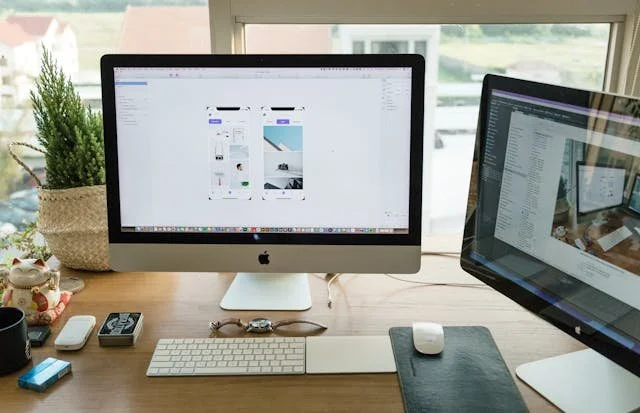
Walk through almost any nonprofit website today, and you'll see the same pattern:
Long paragraphs of mission language and entire pages on organization history
A wall of text on the "About" page that doesn’t really tell you much
Hidden donate buttons or links that may or may not work
PDF reports and images with text baked in
Sliders that nobody clicks and that Google can’t read
The problem? This setup ignores how people actually use the web.
Visitors tend to scan more than they read. They decide—in seconds—if they're going to stay or go back to search results. We are way past the point where a functional, accessible website was a “nice to have.” Regardless of your social media presence, a website is a requirement to show donors, volunteers, and your community that you are a trustworthy organization doing the work you claim to do.
Even when communication trends change (and they do often), the fundamentals still apply: concise, clear, and easy-to-access content will trump long form any day of the week. If your site isn't living up to that standard, you're losing supporters, volunteers, and donors.
How People Actually Read Online
Research consistently shows that visitors decide within about 15 seconds whether they're going to stay on a page or leave. The average page visit lasts less than a minute, and most of that time is spent skimming for something relevant rather than reading line by line. (Source)
That's not because people are lazy. It's because they've spent years training themselves to find what they need quickly. They're efficient, not disengaged.
Researchers have identified a few common scanning patterns: the F-pattern (eyes move across the top, then down the left side), the Z-pattern (common on simpler landing pages), and thumb-zone reading on mobile, where people only engage with content that's easy to tap.
If your nonprofit site reads like an essay, you're working against how people actually behave online. The goal isn't to get visitors to read more. It's to design so they can find what matters in the time they're actually willing to give you.
A great website designer will help ensure that your website is designed for your ideal audience. Let’s look at six design principles to keep in mind as you design (or re-design) your website.
6 Design Principles That Match Real Reading Behavior
Okay, now onto the actionable stuff. Here are the design principles that will make your nonprofit site flow how your visitors actually read.
Design For Scanning First
Lead with your highest priority message at the top of every page. Not your mission statement. Not your organization's founding story. The answer to the question your visitor actually showed up asking.
A simple framework that works for almost any nonprofit page:
A headline that says what you do
One sentence on who you help
A clear button or next step
Here's what that looks like in practice. Say you run a food bank. A homepage that opens with "Founded in 1987, the Riverside Community Food Bank has served our neighbors through a commitment to dignity and equity..." makes visitors work to figure out whether they're in the right place. Compare that to: "Free groceries for Riverside families. Find a pickup location near you." Same organization. Completely different experience.
Every page on your site should pass what's sometimes called the 8-second scan test: if someone lands on the page and does nothing but glance at the top, do they understand what the page is about and what to do next? If the answer is no, that's where to start.
You can absolutely have depth below the fold. Context, storytelling, impact numbers — all of that has a place. But the top of the page has one job: make people want to keep scrolling.
2. Write For Mobile Users
Mobile devices account for roughly 60% of global web traffic, and for nonprofits, that number tends to be even higher. When someone clicks through from an email newsletter, a Facebook post, or a donation link shared on Instagram, they're almost certainly on their phone.
That changes how you need to write and design.
Short sentences. Short paragraphs (two to three lines max). Enough white space between sections so the page doesn't feel like a wall of text on a 6-inch screen.
Tap targets matter more than most organizations realize. Your donate button needs to be big enough to hit without zooming in. A tiny text link buried in a sentence is easy to skim past on a desktop and nearly impossible to use on mobile. If your call-to-action requires precision tapping, people will skip it. In the industry, we call this responsive design and if ignored, there’s a real cost to the organization.
Font size is another one that gets overlooked. Anything smaller than 16px makes visitors work harder to read — and they won't. They'll leave.
Here's a quick gut-check: pull up your site on your actual phone right now. Not a browser preview. Your phone, the way a donor would see it. Is the text readable without pinching to zoom? Can you tap the buttons without frustration? If anything feels clunky, that's your starting point.
If it's not easy on a phone, it's not working.
3. Use Plain Language
Nonprofit writing has a jargon problem. "Programmatic interventions." "Capacity-building frameworks." "Stakeholder ecosystems."
Nobody talks like that. And nobody reads like that either.
The people visiting your site are donors trying to decide whether to trust you, volunteers looking for ways to get involved, and community members seeking help. They are not reading your grant reports. Write for them.
Here's a quick before and after:
Before: "We deliver trauma-informed, equity-centered programmatic interventions to under-resourced youth populations across the greater metro area."
After: "We provide free mental health support to kids and teens in [City] who can't afford therapy."
Same work. Completely different clarity.
A good target is a 6th to 8th-grade reading level. This isn't because your audience isn't smart; it's because plain language is easier to process quickly, which is exactly what people do when they visit your site. Tools like Hemingway Editor can show you where your writing gets dense, and most of the fixes are simple: shorter sentences, everyday words, active voice.
Plain language also matters for accessibility. Cognitive disabilities, low literacy, and English as a second language are all real parts of your audience.
4. Build Accessibility In From Day One
Accessibility shouldn’t be a checklist you run through after the site is built. It's a design decision you make from the start and one that affects far more of your audience than most nonprofits realize.
The basics every nonprofit site should have the following in place:
alt text on every meaningful image
sufficient color contrast between text and background
a proper heading structure (H1 for your page title, H2s and H3s in logical order below that)
menus that can be navigated with keyboard, and
captions for any video content.
Accessible websites benefit everyone, not just users with disabilities. Captions help someone watching your video on mute during their lunch break. High color contrast helps a donor reading your site on their phone in bright sunlight, and clear heading structure helps anyone who's scanning the page to find what they need quickly.
We wrote a full breakdown of the five most common accessibility errors and how to fix them over on the blog. If you want the step-by-step, find it here:How to Fix the 5 Most Common Website Accessibility Errors in Less Than 5 Days.
5. Lead With What Matters
Your homepage has one job: give visitors a wide-angle view of your organization and help them decide where to go next. It's a roadmap that empowers the user to choose their own adventure.
That means the most important content needs to be at the top and immediately obvious. Not buried under three paragraphs of mission language. Not hidden in the footer. Right there, front and center, where eyes land first.
For most nonprofits, that means a few things specifically:
Donation buttons should be visible without scrolling, and the language on them matters. "Donate" is fine. "Feed a Family Today" is better. Benefit-driven button text tells visitors what their action actually does, making clicking feel more meaningful.
Long blocks of text need to be broken up. Short paragraphs, clear section headers, and some breathing room between sections make the page easier to process quickly and signal where visitors should go next. Need help with writing? Check out our writing resources!
Design cues do a lot of the heavy lifting here. Where you place a button, what color it is, and how big the heading is all guide a visitor's eye and nudge them toward the actions that matter most to your organization. You're not forcing anyone's hand, but you are making the right path easier to find.
The goal isn't to put everything on the homepage. It's to give visitors enough to orient themselves and feel confident clicking deeper into the site.
6. Strip Out The Clutter
Every extra element on a page competes for your visitor's attention. Sliders, auto-playing videos, pop-ups, a row of social icons — each one pulls focus away from what you actually want people to do.
Most nonprofit homepages have one of a few primary goals: raise funds, grow an email list, or recruit volunteers. Everything else on the page should support one of those goals. If it doesn't, it's working against you.
That said, knowing what to cut and what to keep isn't always obvious from the inside. This is where trusting your website designer pays off. A good designer can look at your page and tell you why certain elements are creating friction, where your visitors' eyes are going instead of where you want them to go, and what changes will make the biggest difference. You know your organization and your designer knows how people behave on websites. That combination is where the good work happens.
The simpler the page, the clearer the path. And a clear path is what turns a visitor into a donor.
Accessible Digital Communications: The Easy Wins
You don't have to redesign your entire site to start seeing improvement. Here are three things you can do this week that will make a real difference.
1. Do the phone test. Pull up your website on your actual phone. Can you read the text without zooming in? Can you tap the donate button without frustration? Does the top of the homepage tell you immediately what the organization does and what to do next? Note anything that feels clunky. That's your priority list.
2. Rewrite one button. Find a "Donate," "Click Here," or "Learn More" button on your site and replace it with a button that explains what happens when the visitor clicks. "Feed a Family Today." "Sign Up to Volunteer." "Get Help Now." Pick one page, update one button, and see how it feels. Benefit-driven language is one of the simplest changes you can make and one of the highest-impact ones.
3. Run your homepage copy through Hemingway Editor. Paste your homepage text into the Hemingway Editor and see what grade level it reads at. If it's above an 8th-grade level, see if you can simplify them. Shorter sentences, everyday words, active voice. This takes 20 minutes and will immediately improve the scannability of your content.
None of these requires a developer or a redesign. They just require a few minutes and a willingness to look at your site the way your visitors do.